Shanghai Camera
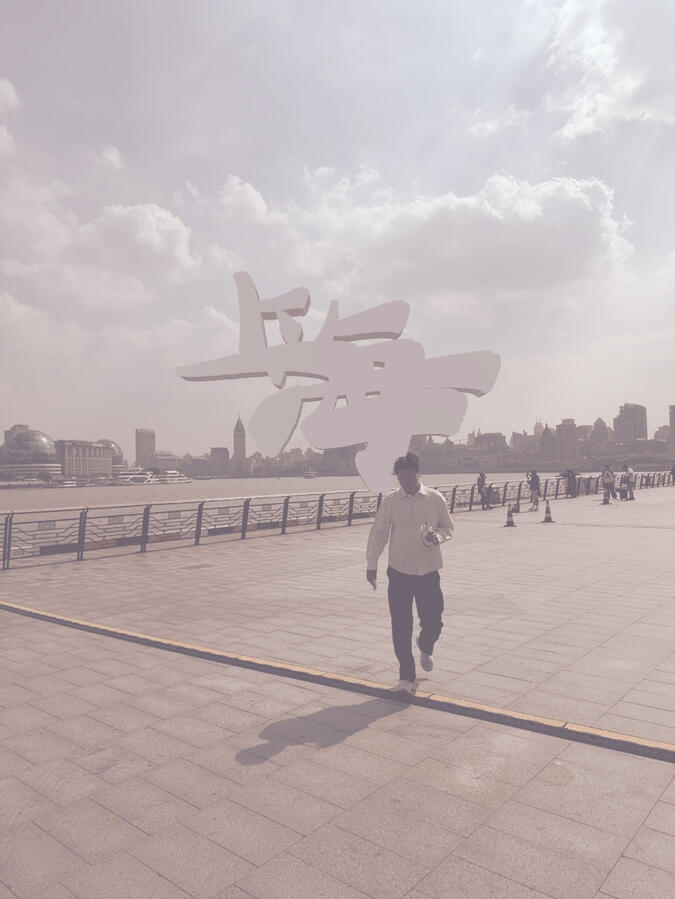
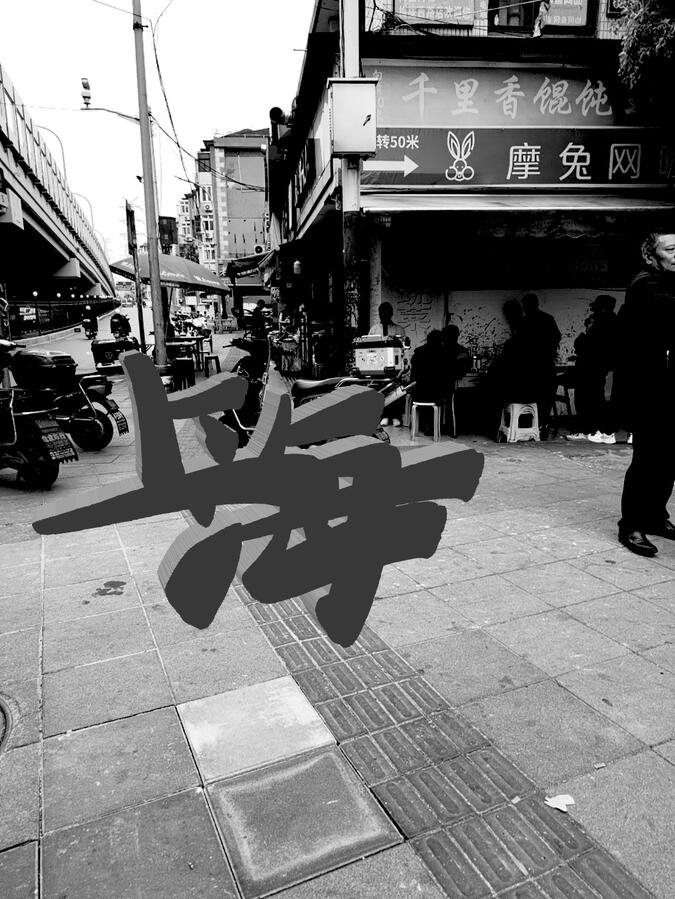
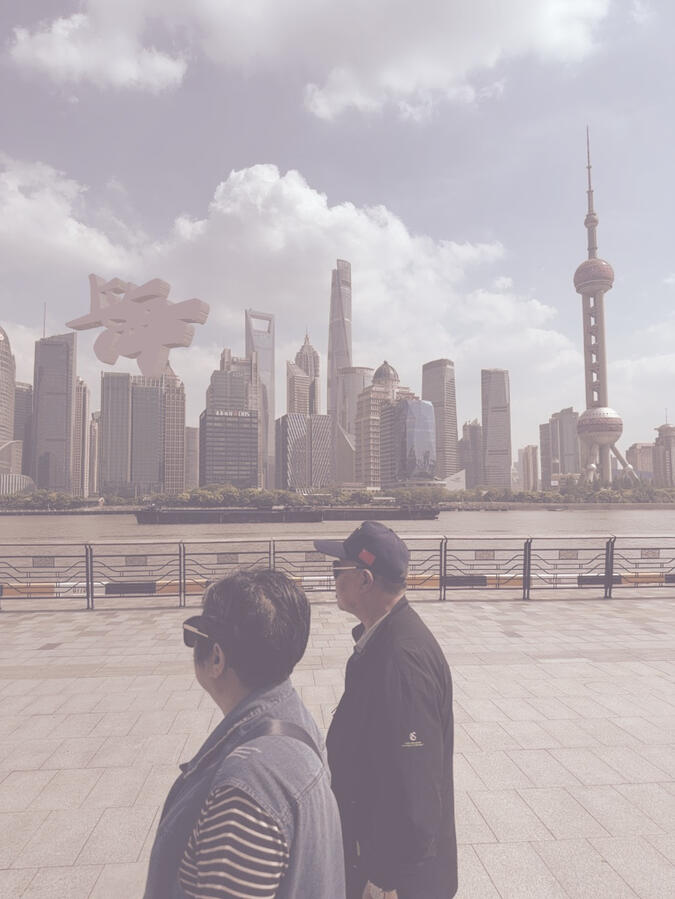
A fun AR camera app that allows you to place a 3D model of the Chinese characters for Shanghai, 上海.Shanghai Camera lets you frame the world through a simple black-and-white or color camera, place a 3D Shanghai logo on detected surfaces, adjust the look, and save the final image.It is built to feel quick and direct: open the camera, place the object, choose a film-inspired style, and shoot. No account, no feed, no extra workflow.Use it for experimental photos, location-based visuals, AR compositions, or just making everyday scenes feel a little more designed.
For support please email us by click the email icon above!
Privacy PolicyEffective Date: April 26, 2026
App: Shanghai Camera
Developer: Ryan Arthur Walker
Contact: [email protected]Shanghai Camera is designed as a private creative camera app. The app lets you use your iPhone camera to preview a scene, place a 3D object in augmented reality, apply visual styles, capture photos, and save or view those photos on your device.We do not sell your data. We do not use your data for advertising. We do not track you across apps or websites.Information We CollectShanghai Camera does not collect personal information from users.The app does not require an account, login, name, email address, phone number, location profile, contact list, or social account.Shanghai Camera does not operate a backend server for user accounts or photo storage.Camera AccessShanghai Camera requests access to your device camera so the app can show a live camera view and allow you to compose photos.Camera frames are used on your device for the live preview, AR placement, visual effects, and photo capture. Camera content is not uploaded to us.Augmented Reality DataShanghai Camera may use Apple AR technologies to detect surfaces, estimate scene geometry, and place a 3D object in your camera view.This processing happens on your device. We do not receive, store, or upload AR scene data.Photo Library AccessShanghai Camera may request permission to save captured images to your photo library.Photo library access is used only when you choose to save a photo. The app does not upload your photos to us. The app does not scan, analyze, or collect your photo library for advertising, tracking, or profiling.Photos Created in the AppPhotos you capture or view in Shanghai Camera are stored on your device and/or in your Apple photo library, depending on how you use the app.We do not receive copies of your photos.In-App GalleryShanghai Camera may show an in-app gallery of photos created with the app. This gallery is local to your device. We do not sync this gallery to our servers.Device DataShanghai Camera does not collect device identifiers for tracking.We do not collect advertising identifiers, device fingerprints, or analytics profiles.Location DataShanghai Camera does not request or collect your precise location.If a photo is later saved or managed by Apple Photos, Apple’s own system features may handle photo metadata according to your device settings. Shanghai Camera does not collect that information.Analytics and Crash ReportsShanghai Camera does not include third-party analytics or advertising SDKs.Apple may provide developers with aggregated App Store analytics or crash information through Apple developer tools. This information is provided by Apple and is subject to Apple’s privacy practices. We do not use this information to identify individual users.Third-Party ServicesShanghai Camera does not use third-party advertising networks, third-party tracking SDKs, or third-party user analytics services.If this changes in the future, this policy will be updated before or when those changes are released.TrackingShanghai Camera does not track you across apps or websites owned by other companies.Shanghai Camera does not use your data for targeted advertising.Children’s PrivacyShanghai Camera is not designed to collect personal information from anyone, including children.Because the app does not require accounts and does not collect personal information, we do not knowingly collect personal information from children.Data SharingWe do not sell, rent, or share user personal information.We do not share photos, camera content, AR data, or usage data with advertisers or data brokers.Data RetentionBecause Shanghai Camera does not collect personal information on our servers, we do not retain user personal information.Photos saved by you remain on your device or in your Apple photo library until you delete them.Your ChoicesYou can control camera and photo permissions at any time in iOS Settings.To manage permissions:Open Settings → Privacy & Security → Camera or Photos → Shanghai Camera.You can delete photos created with Shanghai Camera from your device or Apple Photos app.SecurityShanghai Camera minimizes data handling by keeping camera, AR, and photo processing on device. Since we do not operate user accounts or store user photos on our servers, there is no server-side photo database for us to protect or access.Changes to This PolicyWe may update this Privacy Policy if the app’s features or data practices change.If we make material changes, we will update the effective date above and revise this page.ContactIf you have questions about this Privacy Policy, contact:[email protected]
FAQWhat is Shanghai Camera?Shanghai Camera is a creative iPhone camera app for placing a 3D Shanghai logo into the real world, previewing film-inspired looks, and saving the final image.How does the app work?Open the camera, tap a detected surface to place the 3D object, adjust the object with Tools, choose a visual style, and take the photo.Does Shanghai Camera use augmented reality?Yes. The app uses AR to detect real-world surfaces and place a 3D object in the camera view.Do I need an account?No. Shanghai Camera does not require an account or login.Does the app collect my photos?No. Photos stay on your device and/or in your Apple photo library. They are not uploaded to us.Does the app collect my camera feed?No. The camera feed is used on your device for previewing, AR placement, and capture. It is not sent to us.Why does the app ask for camera permission?Camera permission is required so you can see the live camera view, place the 3D object, and capture photos.Why does the app ask for photo library permission?Photo library permission is used so the app can save photos when you choose to capture and save an image.Can I use the app without photo library access?You may be able to preview and compose images, but saving to your photo library requires permission.Does Shanghai Camera track me?No. Shanghai Camera does not track you across apps or websites.Does the app use ads?No. Shanghai Camera does not use ads.Does the app use analytics?No third-party analytics are used in the app as currently built.Where are my photos stored?Photos are stored locally on your device and/or in Apple Photos when you save them.Can I delete photos?Yes. You can delete saved photos from the in-app gallery if available, or from the Apple Photos app.Does the app use my location?No. Shanghai Camera does not request or collect your precise location.What devices does Shanghai Camera support?Shanghai Camera is designed for iPhone. AR features require a device that supports Apple’s AR capabilities.Why do I need good lighting or a visible surface?AR placement works best when your camera can clearly see a surface with enough light and visual detail.The object is hard to place. What should I do?Move the camera slowly, point it at a flat horizontal or vertical surface, and wait for the app to detect the surface before placing the object.Can I adjust the 3D object after placing it?Yes. Tap Tools to adjust scale, rotation, position, and material.Can I change the photo style?Yes. The app includes black-and-white and color looks that can be previewed live before capture.Who made Shanghai Camera?Shanghai Camera was designed by Ryan Arthur Walker. The Shanghai logo was designed by Yvette Xu.